Routing
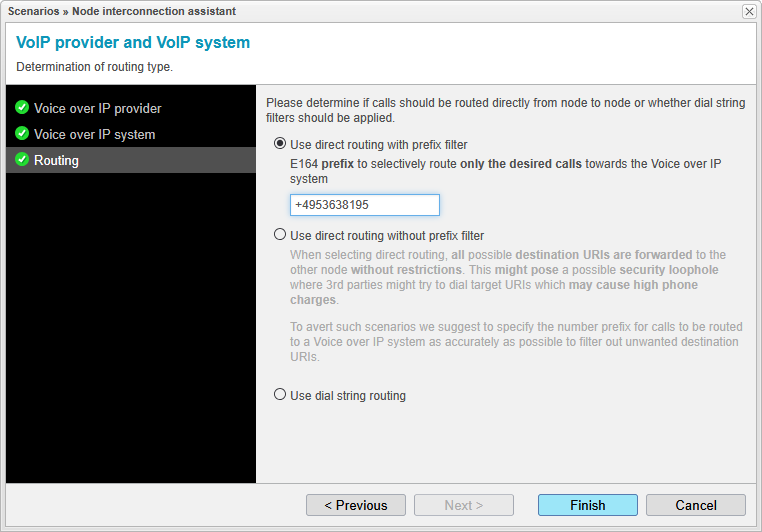
The routing for this setup is determined by the option Use direct routing with a prefix filter. This method only routes SIP sessions to the Mitel OpenScape node if the specified E.164 prefix matches.
You may prefer the Use dial string routing method if the routing should be restricted to a specific dial string. For security reasons, the option Use direct routing without a prefix filter is not recommended. However, the applied configuration details shown in the screenshot below can be reviewed in the Routing Domain Setup chapter.
Note that anynode's route selection through the Routing Domain occurs after applying the incoming dial string rewrite rules of a source node and before applying the outgoing dial string rewrite rules of the destination node. Such filter rules can be defined for each node in the Dial string rewriting and mapping section of its SIP Node settings.
If everything is set and all the assistant steps of this scenario are marked with the green circular confirmation icon with a checkmark (the symbol), click to complete the guided configurations. The Node interconnection assistant will then be closed.
To apply the newly provided configuration, click the button in the main view of the anynode frontend. The procedure is explained in detail in the next chapter.