SIP Trunk Profiles
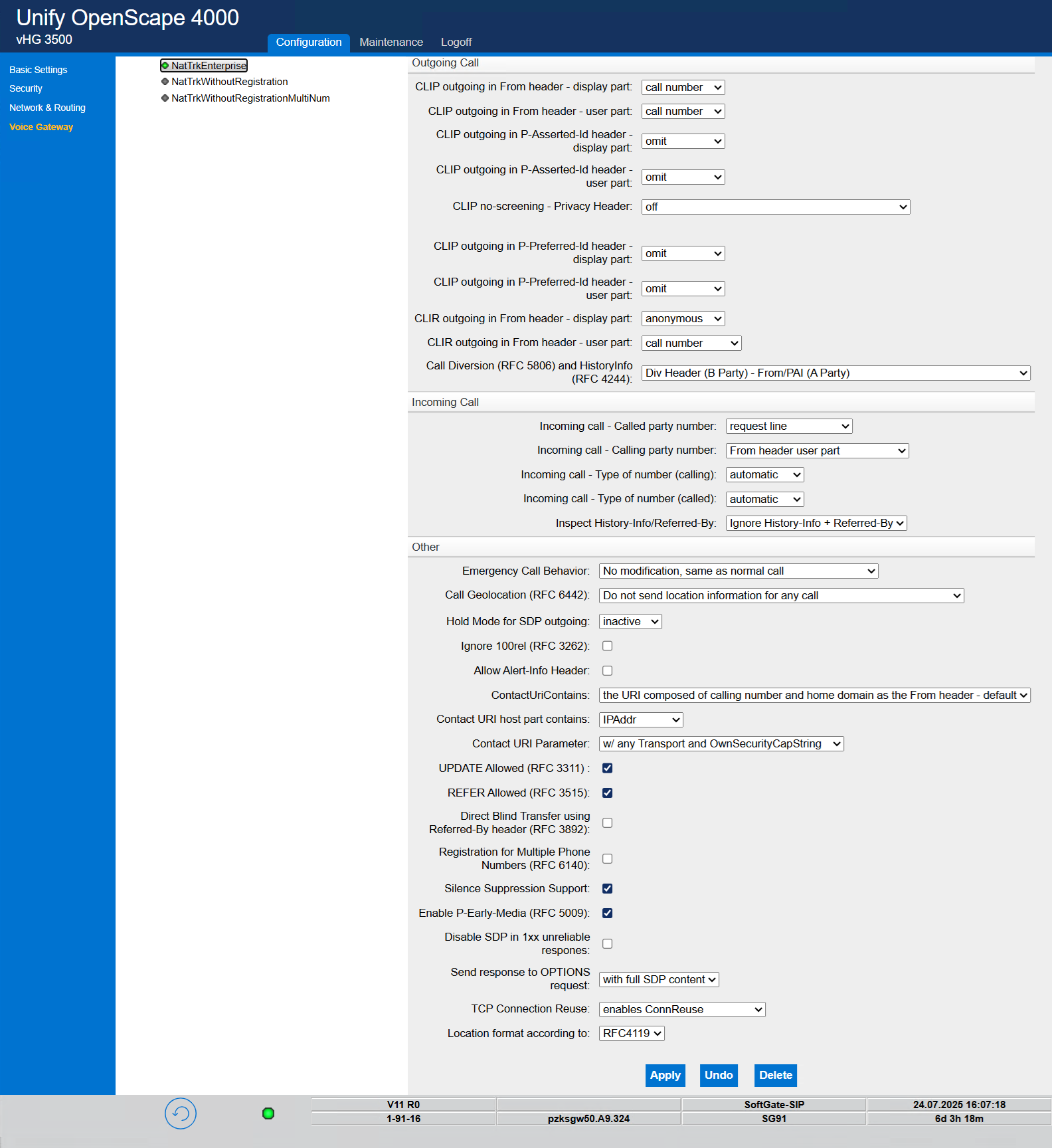
Since OpenScape 4000 doesn’t include a dedicated anynode profile, you should use the NatTrkEnterprise profile. It’s the only SIP-trunk configuration Mitel has fully tested and officially approved for third-party gateways, delivering a complete, enterprise-grade feature set. However, towards the end of the certification phase in October 2025, anynode is expected to receive a dedicated SIP trunk profile.
In this configuration, anynode's native SIP trunk is assigned to IP address 10.10.11.61. This address corresponds to the Ethernet interface of the bound SIP controller in the anynode setup, as detailed in the Network Controller section.
To ensure proper operation, activate the SIP Trunk Profile using the Activate Trunk Profile option. If the trunk does not activate, try disabling and re-enabling the profile. If the issue persists, you may need to reboot the gateway or perform further troubleshooting.
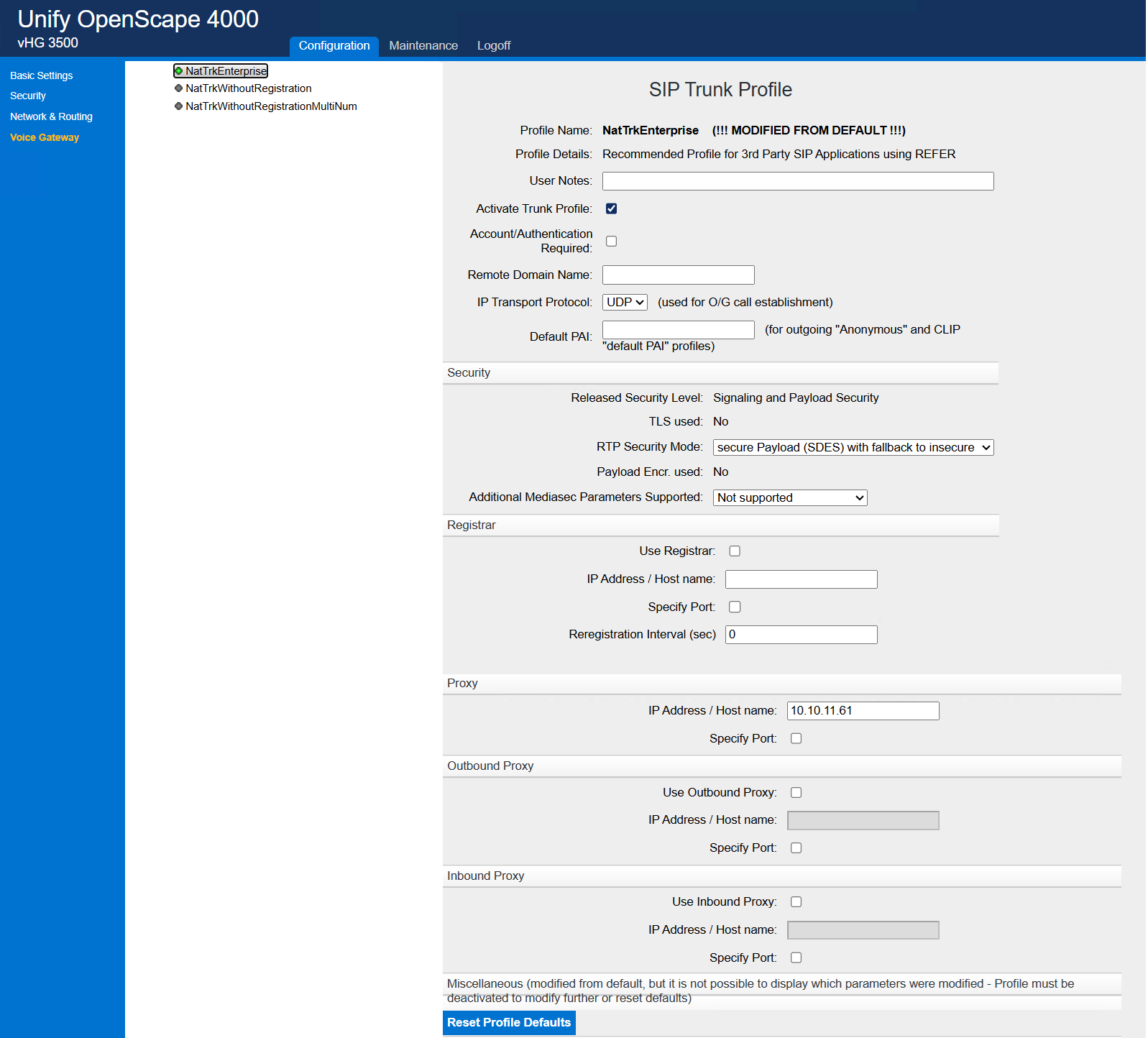
Covering every parameter in detail falls outside the scope of this TechNote. Where relevant, consult the official certification report for configuration examples. Exact settings will vary depending on your anynode node configuration and the other components in your OpenScape 4000 environment.