
Download Homer’s Official Docker Packages
You need to download Homer’s official Docker packages via PowerShell because Windows does not include the required project files. The docker stack (heplify-server, qryn, ClickHouse, Grafana, etc.) only becomes available after retrieving Homer’s official package. PowerShell is the native and simplest way to obtain these files so Docker can deploy the full monitoring environment.
Open PowerShell
cd C:\
git clone https://github.com/sipcapture/homer-docker.git
You now have
C:\homer-docker\
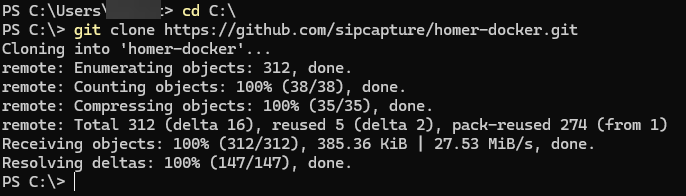
Cloning the official Homer Docker repository using Git for Windows in PowerShell.