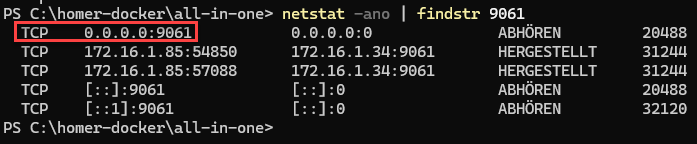
Verify HEP Capture Port (Windows side)
You need to verify the HEP capture port on the Windows side to ensure that anynode’s HEPv3 packets actually reach the HEP collector running inside Docker. This is important because the Windows host sits between anynode and the Docker containers, and several things can prevent the packets from reaching their destination.
Windows Firewall may block the HEP port. HEP typically uses ports like 9060/UDP or 9061/TCP. On Windows, these ports are not open by default. If the firewall blocks them, anynode will send HEP packets—but Docker will never receive them.
PowerShell
netstat -ano | findstr 9061
You should see a Docker binding on
0.0.0.0:9061 -> container:9060
If it's there, the HEP listener is ready. If not, configure Windows firewall rules as shown next.