
SIP Capture with Homer 10 / Grafana (Windows)
For full use of this feature described in this chapter, anynode version 4.14 or higher is required.
This guide provides a complete, end-to-end tutorial for deploying Homer 10 and Grafana on a Windows system using Docker, and integrating it with anynode for real-time SIP signaling capture and monitoring. It combines all essential components—from installing Docker Desktop on Windows, to running the official Homer Docker stack, to configuring anynode to forward SIP traffic via the HEP protocol.
The goal of this guide is to enable administrators, VoIP engineers, and support teams to quickly deploy a fully functional SIP monitoring platform that includes:
-
Full SIP capture using the HEP/EEP v3 protocol
-
High-performance signaling storage using ClickHouse
-
Qryn as the central observability engine for SIP events, logs, and traces
-
Grafana dashboards for searching, analyzing, and visualizing SIP traffic in real time
All components run inside Docker containers to ensure a consistent, reliable, and easily maintainable installation on
Windows. The guide uses configuration values tailored to our environment (Homer host: 172.16.1.34, HEP port:
9061, transport: TCP) but can easily be adapted for other networks.
By the end of this guide, you will have a complete, modern SIP observability stack capable of capturing, storing, analyzing, and visualizing SIP traffic from anynode or any other HEP-enabled SBC or SIP platform.
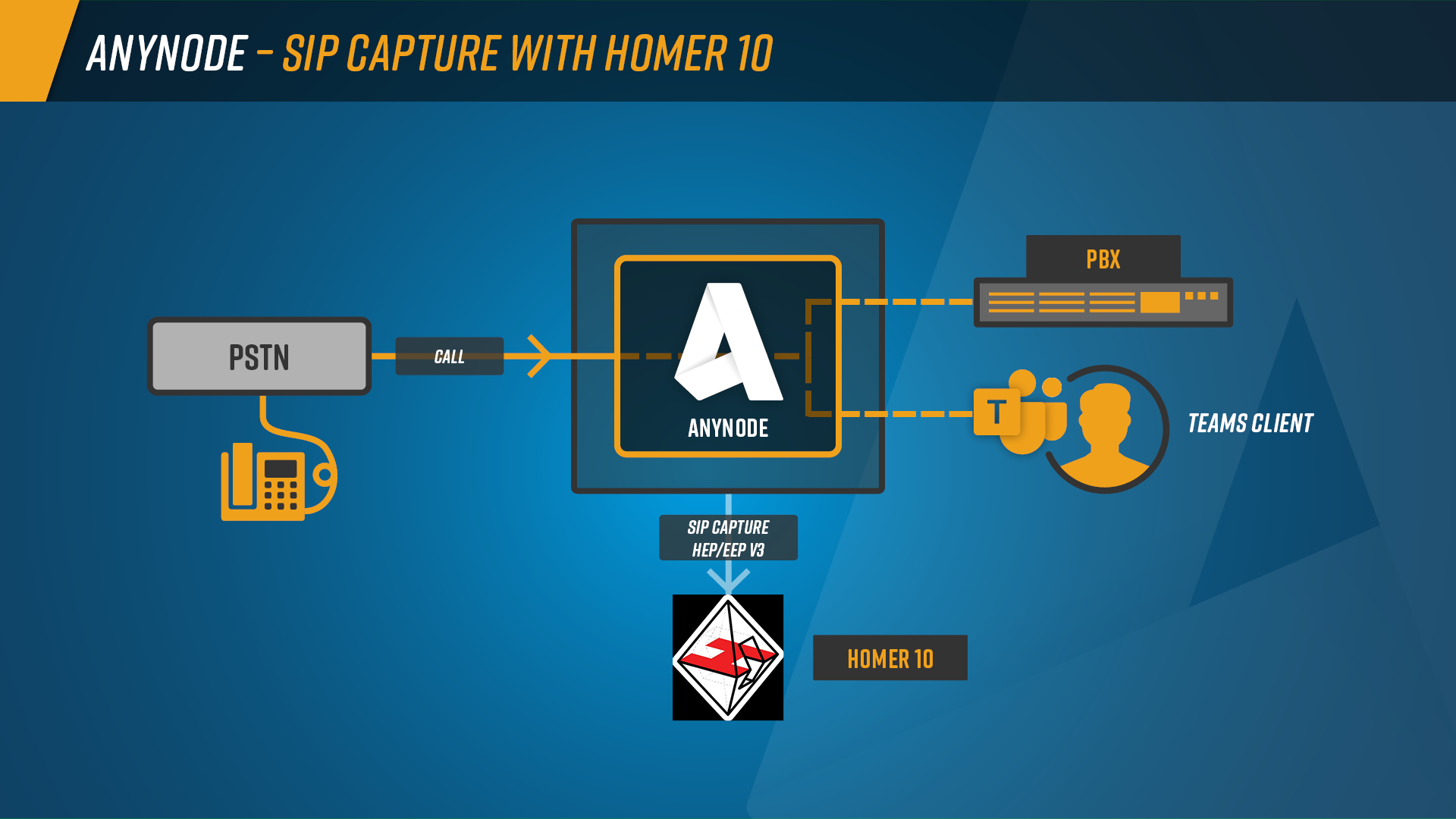
Benefits of Using Homer 10 with anynode
-
Centralized SIP Monitoring
-
anynode’s monitoring is limited to a single node.
-
Homer 10 collects SIP data from multiple anynode systems, PBXs, carriers, and SBCs, giving you one unified platform for all signaling flows.
-
-
Complete Call Flow Visualization
-
Homer 10 reconstructs full SIP call flows—with all legs, hop-by-hop signaling, and timing.
-
This provides clearer insight and much faster troubleshooting compared to isolated per-node traces
-
-
Long-Term Storage and Advanced Search
-
Homer 10 stores SIP traffic for days, weeks, or months.
-
Its powerful search filters, full-text queries, and correlation features make it easy to investigate issues and analyze trends.
-
-
Scalable and Carrier-Grade
-
Homer 10 handles high message volumes, distributed deployments, and complex environments—ideal for large enterprises and service providers.
-
-
Full Observability Integration
-
Through qryn and ClickHouse, Homer 10 works seamlessly with Grafana and other observability tools, enabling dashboards, metrics, alerts, and historical insights far beyond what anynode alone can provide.
-
Short Steps Overview
-
Install Docker Desktop on Windows
-
Install Git for Windows
-
Download Homer’s Official Docker Packages
-
Select the Homer 10 “all-in-one” Deployment
-
Modify the HEP Port
-
Start Homer 10 via Docker Compose
-
Verify HEP Capture Port (Windows side)
-
Configure Windows Firewall Rules (optional)
-
anynode SIP Capture Agents Configuration
-
Validate SIP Traffic on Grafana UI